

A listing sends you to a website. Or an ad in your feed does. Or a seller in a chat says it is easier to order from their online store. The site looks professional, the prices are good, and there is a padlock in the address bar.
None of that tells you how long the business has existed. One free check can: how old the website is.
Knowing how to check a website's age is one of the most useful habits you can build as an online shopper. It takes about two minutes, needs no technical knowledge, and catches one of the most common features of fake online shops: they are brand new.
Why a website's age matters
Scam shops rarely last long. They get reported, their payment accounts get closed, and they move on to a fresh domain name. That means many fake stores are only weeks or days old when you find them.
In a listing we examined recently, a seller on eBay told buyers to purchase a camera worth around USD 6,000 from their own website instead. That website had been registered only days before the listing appeared. (We wrote about that listing in our post on buy-direct listing scams.)
A real retailer handling high-value stock almost always has a history. A brand-new domain does not prove fraud, since every genuine business starts somewhere, but a new domain combined with expensive goods, big discounts or pressure to buy off a marketplace is a strong reason to stop.
How to check a website's age in two minutes
Every domain name has a public registration record, often called a WHOIS record. It includes the date the domain was created.
For most websites (.com, .net, .org, .shop, .store and many others):
- Go to the ICANN Lookup tool at lookup.icann.org. ICANN is the international body that coordinates domain names, so this is a neutral, official source.
- Type in just the domain name, for example
example.com. Leave out "https://" and "www". - Look for the Created or Registration date field.
For Australian .au websites: use auDA's WHOIS lookup, the official registry for .au domains. Other countries have their own registries too; the UK's .uk domains can be checked through Nominet.
Many general WHOIS lookup sites also work for all domain types, but official sources are the safest place to start.
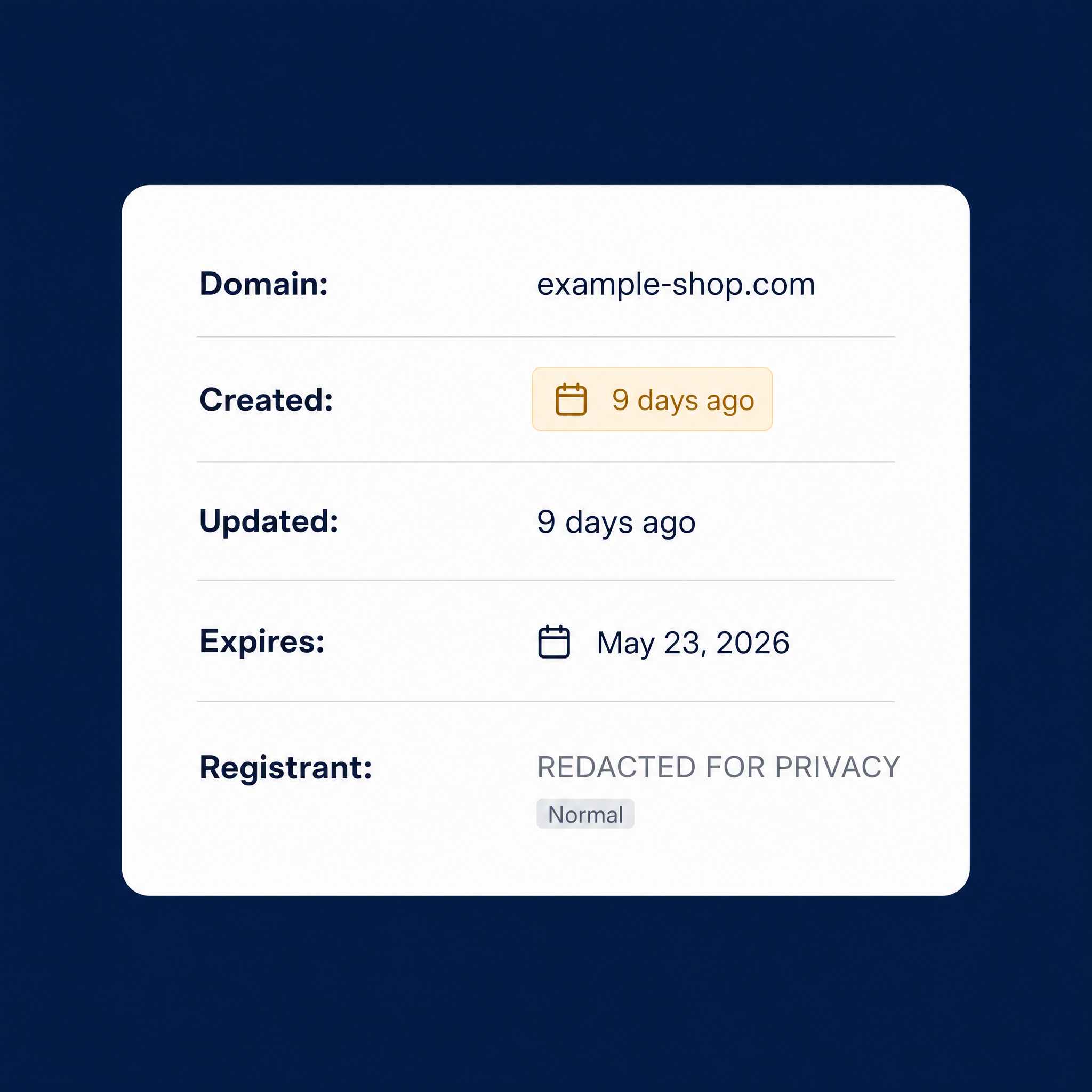
Reading the result
You will often see a lot of redacted information. That is normal. Most registrants now hide their name and address for privacy, and that is not suspicious on its own. What you are looking for is the date.
As a rough guide:
- Created within the last few months: be very cautious, especially for expensive items or deals that seem too good.
- Created within the last few weeks or days: treat it as a serious warning, particularly if you were directed there from a marketplace, social media ad or chat.
- Several years old: a good sign, but not a guarantee. Keep reading below.
Also check the Updated and Expiry dates. A domain registered for just one year, recently, selling luxury goods is a pattern worth noticing.
What domain age cannot tell you
An old domain is not a clean bill of health. Scammers sometimes buy expired domains that already have a history, or compromise real websites. A long-established site can also simply be a bad business.
So use domain age as one check among a few:
- Look it up on the Wayback Machine (web.archive.org). If a "long-established" store has no archived history, or the site used to be about something completely different, that tells you something.
- Search the business name with the word "scam" or "reviews" and look beyond the reviews shown on the site itself.
- Check the contact details. A real address, an ABN in Australia or a company number in the UK, and a working phone number are harder to fake than a contact form.
- Look at the payment options. Bank transfer, PayID, Zelle, cryptocurrency or gift cards only, with no card or PayPal option, removes almost every way to get your money back.
When to skip the check entirely
If a marketplace seller asks you to leave the platform to buy from their website, you do not need to check the domain at all. The request itself is the warning. Every protection the marketplace gives you applies only to purchases made through the marketplace. Our post on off-platform messaging explains why that move sits at the start of so many scams.
Domain age checks are most useful when you have found a store on your own, through an ad or a search, and want to know whether it is worth trusting.
What to do if you have already bought from a new website
- Contact your bank or card provider straight away and explain what happened. The sooner you do, the better the chance of stopping or reversing a payment.
- Keep screenshots of the site, your order, and any emails.
- Report it: Scamwatch in Australia, Action Fraud in the UK, or the FTC in the US. Most scams are never reported, so every report helps others.
- Watch for follow-up contact offering to "recover" your money. That is a common second scam.
How Chekka helps
Chekka is being built so you do not have to remember every check yourself. Paste in a link, listing or message before you pay, and it brings the relevant signals together in one place so you can see the risk more clearly. It will not catch everything, but it is designed to give you a second set of eyes when a deal feels slightly off.
We are gathering real experiences from people who buy and sell online. Take the two-minute Chekka survey, and send this to one person who shops online.